ActiveMesh 4.0
|
ActiveMesh 4.0 is an Early Access feature. DO NOT use ActiveMesh 4.0 in production environments. Contact Aviatrix Support to enable and try ActiveMesh 4.0. |
ActiveMesh 4.0 is an iteration of ActiveMesh. The features of ActiveMesh 4.0 are as follows:
Primary Gateway Lifecycle Control: Provides a delete option for the primary gateway instance.
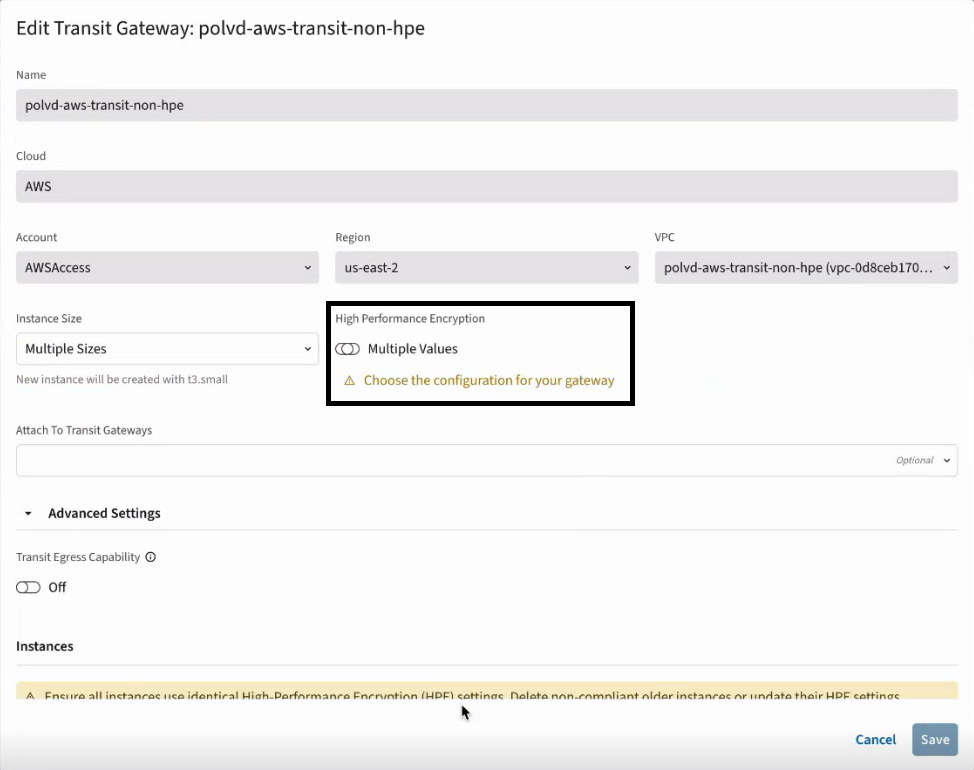
Dynamic HPE Toggle: Provides an HPE toggle option for a deployed gateway group to enable or disable HPE on the fly.
| Both Primary Gateway Lifecycle Control and Dynamic HPE Toggle can be used only when no S2C connections, FireNet, or AWS TGW attachments are configured on the primary gateway. |
Primary Gateway Lifecycle Control
ActiveMesh 4.0 supports deletion of the primary gateway instance. After the primary gateway instance is deleted, the next gateway instance in the sequence automatically becomes the new primary gateway.
To delete the primary gateway instance:
-
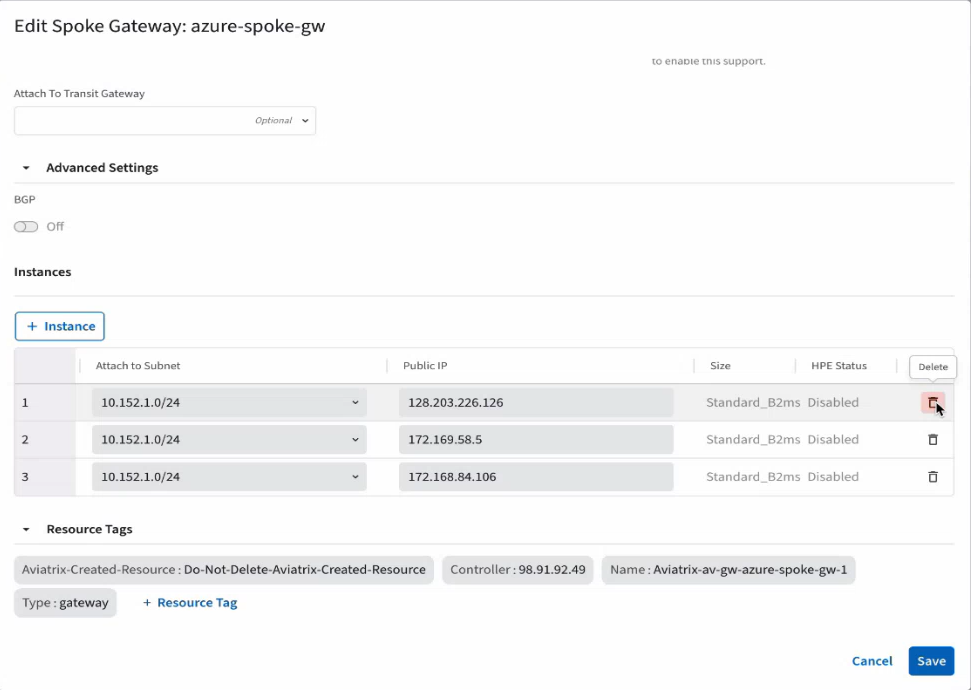
From the CoPilot GUI, navigate to Cloud Fabric > Gateways > Transit Gateways or Spoke Gateways. A table of deployed gateway groups appears.
-
Click the Edit icon in the row of a gateway group.
-
Click the Delete icon in the row of the primary gateway instance.
Ensure that S2C connections, FireNet, or AWS TGW are not configured on the primary gateway instance before deleting it.
-
Click Save.
A success message appears to confirm the deletion of the primary gateway instance. The next gateway instance in the sequence automatically becomes the new primary gateway.